 ScanBuddy
Sign and mark up
Sign a document
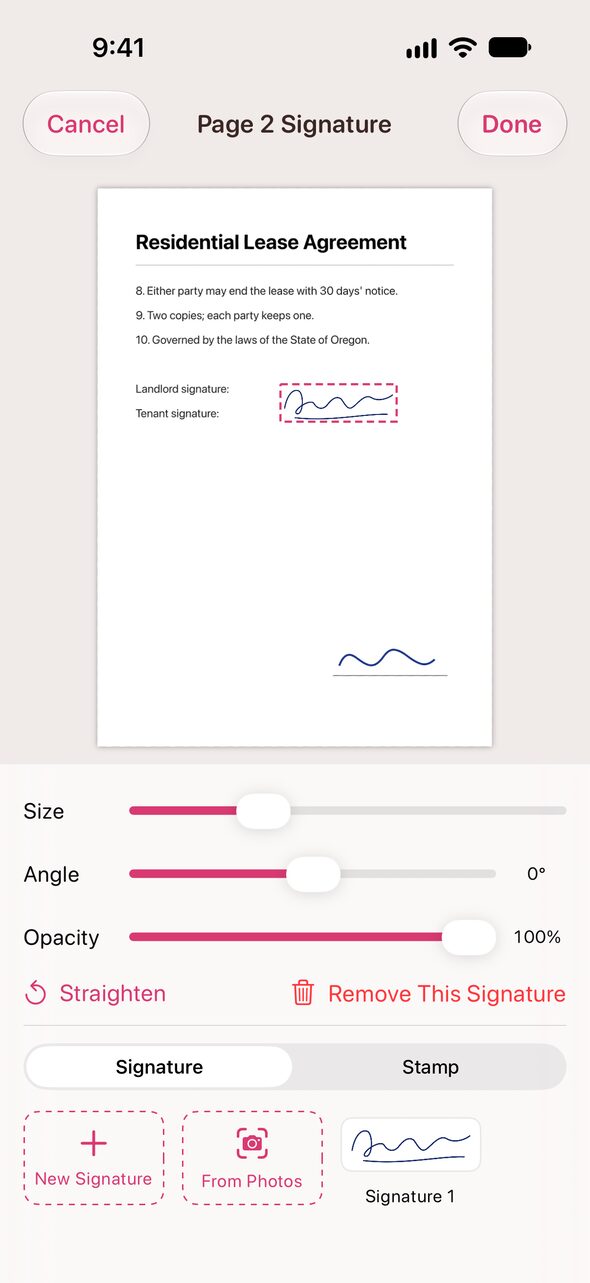
- Open the document and tap “Signature” at the top (or “More” › “Signature…” on a page).
- First time? “New Signature” to draw with a finger or Apple Pencil, or “From Photos” to import one from paper.
- Tap a saved signature to place it, then drag it onto the line.
- Pinch to resize or rotate, or use the size, angle and opacity sliders. Tap “Done”.
Imported signatures are cleaned of paper shadows and specks. Signatures stay on this iPhone.